
You open Messenger. A notification appears. Someone sent a message. Then it disappears.
Now you are left wondering. What did they say? Was it important? Was it a mistake?
If you are searching for how to see unsent messages on Messenger, you are not alone. Millions of users want to recover deleted or unsent messages on Facebook Messenger. But most advice online is misleading, outdated, or unsafe.
This guide explains what is technically possible, what is not, and what you can do next.
Keep reading because one common method people trust does not actually work anymore.
The Problem: Messenger Unsent Messages Are Designed to Disappear
When someone uses the “Unsend” feature in Facebook Messenger, the message gets removed from the chat for everyone in the conversation.
Here is what makes it frustrating:
- You still receive a notification preview
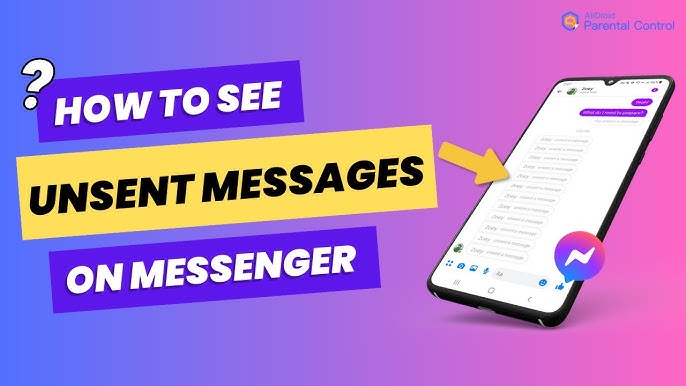
- The chat shows “This message was unsent”
- The original content disappears permanently
Meta designed this feature to protect user privacy. That means there is no built-in option inside Messenger to directly restore an unsent message once it is removed.
So the real question becomes:
Is there any legitimate way to see an unsent message?
The Solution: What You Can and Cannot Recover
There is no official feature inside Facebook or Messenger that allows you to reopen an unsent message after deletion.
However, there are a few scenarios where you may still access the content:
- Notification history on your device
- Cached data or archived messages
- Email notifications
- Data downloads from Facebook
Let’s break these down clearly.
Detailed Explanation
1. Check Notification History on Android
If you use Android, your phone may store notification logs.
Steps:
- Open Settings
- Go to Notifications
- Select Notification History
- Look for the Messenger alert
If the message preview appeared in your notification before it was unsent, the text might still be visible there.
Important: This only works if notification history was enabled before the message was deleted.
2. Use Notification Log Apps
Some Android users install third-party apps that record incoming notifications.
These apps can capture:
- Message previews
- Sender name
- Timestamp
But be cautious. Many apps request full access to your notifications, which creates privacy risks.
Never install unknown apps with poor reviews. Check ratings in the official Google Play Store before downloading anything.
3. Check Email Notifications
If your Facebook account is set to send message alerts via email, you might find the original message in your inbox.
Steps:
- Open your registered email
- Search for “Messenger” or the sender’s name
- Check the timestamp
Email alerts often include the full message preview unless the sender unsent it immediately.
4. Download Your Facebook Data
You can request a copy of your account data from Facebook.
Here is how:
- Go to Facebook Settings
- Select “Your Facebook Information”
- Click “Download Your Information”
- Choose Messages
- Request download
However, there is an important detail.
If the sender unsent the message before Facebook archived it in your account history, it may not appear in the downloaded data. This method does not guarantee recovery.
5. Ask the Sender Directly
This may seem obvious, but it is often the simplest solution.
Send a message like:
“I saw you unsent something. Was it important?”
In many cases, people remove messages because of typos or hesitation. Direct communication solves the mystery faster than technical workarounds.
What Does Not Work
Many websites claim you can:
- Hack Messenger to see deleted messages
- Use secret codes
- Install special tracking tools
- Access hidden Messenger folders
These claims are false.
Messenger encrypts conversations and removes unsent content from both sides of the chat. There is no official recovery tool provided by Meta.
Be cautious of:
- Apps asking for your Facebook login credentials
- Websites promising “100 percent recovery”
- Download links outside official app stores
These are often phishing attempts.
Common Mistakes to Avoid
1. Installing Suspicious Recovery Apps
Many apps promise to recover unsent messages but collect personal data instead. This puts your account at risk.
2. Sharing Login Credentials
Never share your Facebook login with third-party tools. This can lead to account theft.
3. Confusing Deleted vs. Unsent Messages
Deleted messages are removed only from your side.
Unsent messages are removed for everyone.
Recovery possibilities differ between these two actions.
4. Ignoring Privacy Settings
If you want better visibility in the future:
- Enable notification history
- Turn on email alerts
- Review Messenger notification settings
Preparation helps prevent future frustration.
FAQ: How to See Unsent Messages on Messenger
Can I recover an unsent message on Messenger?
No. Once a message is unsent, Messenger permanently removes it from the conversation.
Does downloading Facebook data show unsent messages?
Usually no. If the message was removed before being archived, it will not appear.
Do third-party apps work?
Most do not. Many are unsafe and violate privacy rules.
Can iPhone users see notification history?
iOS does not provide the same notification log access as Android. Recovery options are limited.
Is it illegal to try to recover someone’s unsent message?
Using hacking tools or accessing accounts without permission can violate laws and platform policies.
Conclusion
If you are trying to learn how to see unsent messages on Messenger, the truth is simple.
There is no guaranteed method to recover them after removal.
Your best chances depend on:
- Notification history
- Email alerts
- Quick action before deletion
Messenger’s unsend feature exists to protect privacy. That design makes recovery intentionally difficult.
Going forward, enable notification logs and email alerts to avoid missing important messages. And when in doubt, ask the sender directly.
Sometimes the simplest solution works best.
If you would like, I can also create a version optimized specifically for Android users or iPhone users with deeper technical steps.